
In partnership with the Teachers Service Commission of Kenya, AON registration provides a medical insurance cover which ensures that teachers obtain the best medical attention.
As a leading international Insurance firm, AON also has its services in Kenya where it serves the Teachers Service Commission teachers for their medical needs as well as other risks such as retirement, and health solutions.
AON TSC Insurance scheme covers the teachers themselves, their spouses, and their children; i.e. direct dependents to the teachers.
With the AON TSC online registration, teachers can use their phones to register, unlike the past where they had to make long queues to access these services.
In order to receive AON Minet’s medical cover the Principal contributor and Dependents have to be registered.
Therefore in this article, we will highlight the procedure you will follow to upload the documents required to register dependents on AON Minet’s website.
Continue reading:
TSC payslip online; Login, download payslips and update your profile
TSC Downloads- Get all the TSC forms, manuals, circulars here.
Dependents on Minet Portal
The following are persons considered dependents eligible for medical cover:
- One (1) legal spouse of the member
- Four (4) unmarried biological or children legally adopted and are dependent on the member for support, as long as such children are aged not less than 38 weeks (full term birth) and under the age of 18 years. If the children are enrolled in a recognised post-secondary institution, the condition is extended to 25 years.
There is no limit that applies to child dependents with a disability.
How to change AON MINET Dependants
Its not possible for the principal contributor to change their dependants if the policy period has not expired. But he/she can change if there is death or divorce of a spouse.
However, at the beginning of each policy period, the principal contributor has a chance of reviewing your cover and make changes to your dependants should he/she wish to.
The end of the policy year normally occurs in the month of September every year.
Terms and Conditions of Minet cover for dependents
Pre-mature babies i.e. babies who are born before 38 weeks are covered under maternity.
The cover does not cater to relatives of the principal member such as mother, father, sisters, brothers, nephews, nieces, or grandchildren.
The legal spouse of the dependent will be covered up to the age limit of 70 years.
How to register dependants on AON Minet’s website
For you to register your dependants on AON Minet, you supposed to follow the procedure below
- Dial *865# from your Safaricom or Airtel mobile phone number.
- Select the dependent that you wish to register. This can be either be a spouse or a child.
- Enter the date of birth, the full name, ID number or Birth Certificate Number.
Failure to successfully register the dependants on the AON Minet, you can contact contact AON Minet via the call centre contacts provided on their website.
How to check Details of the dependants on AON Minet
After a successful registration of dependants on the AON Minet, its prudent to check whether the details have been captured correctly on the AON portal.
However, you should take note that the dependents must first be captured on the AON portal. This can be done via the Minet’s self-service Portal (https://collaborativekenya.minet.com/tsc)
This is the same portal that is used to upload dependents supportive documents.
Documents Required to be uploaded
Once you have successfully registered, you have to provide evidence through uploading of required documents. Every dependent requires upload of documents.
The following documents are required for upload, where necessary.
- Adoption document – for any adopted child.
- Birth Certificate/Birth Notification for all children who are registered.
- Change of Dependent document.
- Change of details document – whenever an amendment is made to the originally declared document.
- Marriage document/Marriage certificate.
- National Identity Card
- Proof of Disability.
- Proof of school (a school ID is required.
How to Upload MINET Documents Online
For you to be able to successfully upload the above document in the portal, you ought to follow the procedure below
- Scan the documents save them on your preferred storage location on your computer of mobile.
- Visit the official Minet upload portal using the link: https://collaborationkenya.minet.com/tsc
- To attach a document click, Enter your full name, your mobile phone number, your TSC number and a description of the document you are to upload.
- Select the document to be attached and then click on ‘Choose File’.
- Click on Upload.
- Repeat the same procedure for the other required documents.
How to access AON MINET medical services
Members registered under the AON-Minet medical scheme can access any of the services that AON Minet has provided on their online panel across the country.
You can view the list by dialing *340# from your Safaricom/Airtel line. Follow the prompts on the screen to access the service you need.
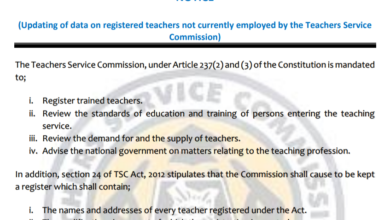 TSC Circular on Updating of data on registered teachers not currently employed by the Teachers Service Commission
 Mwalimu National Sacco Loans & Repayment Schedule (BOSA Loans)
 Latest TPAD Teacher’s Checklist of TSC Professional Documents
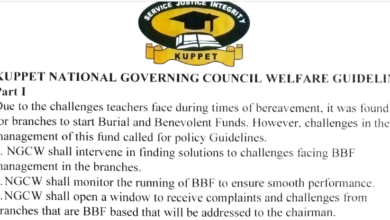 Official Kuppet BBF Guidelines For All Branches