Teachers' Resources

COMPUTER STUDIES LESSON PLANS FORM 3

TEACHERS NAME…………………………………………………………….TSC NO……………………………

SCHOOL/ INSTITUTION……………………………………………………………………………………………

FORM: ONE

SUBJECT: COMPUTER STUDIES              TOPIC: INTRODUCTION TO COMPUTER STUDIES

SUB TOPIC: DEFINITION OF A COMPUTER

WEEK: 2                                                                                              LESSON NO: 1

DATE………………………………………………………..TIME…………………………………………………..

OBJECTIVES: By the end of the lesson the learner should be able to:

  1. Define computer
  2. Distinguish between data and information

LESSON PRESENTATION

TIME CONTENT LEARNING ACTIVITIES RESOURCE MATERIALS
5 Minutes Introduction

Introducing form 1 computer studies by defining and explaining the term computer

  • Asking questions
  • Answering questions
  • Explaining
  • Log On Computer Studies Book 1
30 Minutes Content

Define and explain the term computer

Distinguish between data and information

Explain unique characteristics of computer as a data processing tool


  • Asking and answering questions
  • Taking notes
  • Discussions
  • Brain storming
 

  • Log On Computer Studies BK1
  • Longhorn Secondary
  • Foundations of Computer
  • Handouts
  • Books
  • Working personal computer
5 Minutes Conclusion

Review of the whole lesson by giving a brief summary on characteristics of computer as a data processing tool


  • Asking  and answering questions
  • Making notes
  • Exercises
  • Log On Computer Studies Students Book 1


SELF EVALUATION

More Free Unlimited Computer Notes, Exams and Revision Materials downloads:

COMPUTER STUDIES FORM 1 NOTES FREE

Free Computer Studies notes, revision questions, KCSE past Papers, Exams, Marking Schemes, Topical revision materials, Syllabus and Many more

Computer Studies Schemes of work term 1-3, Form 1-4

Computer Studies Notes Form 1, 2, 4 and 4- Free Download

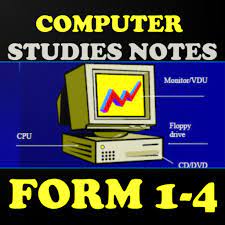
COMPUTER STUDIES NOTES FORM 1-4
Free Computer Studies Notes, Exams amd other revision resources
Free Computer Studies Notes, Exams and other revision resources

TEACHERS NAME…………………………………………………………….TSC NO……………………………

SCHOOL/ INSTITUTION……………………………………………………………………………………………

FORM: ONE

SUBJECT: COMPUTER STUDIES              TOPIC: INTRODUCTION TO COMPUTER STUDIES

SUB TOPIC: PHYSICAL PARTS OF A COMPUTER

WEEK: 2                                                                                              LESSON NO: 2

DATE………………………………………………………..TIME…………………………………………………..

OBJECTIVES: By the end of the lesson the learner should be able to:

  1. State and explain various physical parts of a computer


LESSON PRESENTATION

TIME CONTENT LEARNING ACTIVITIES RESOURCE MATERIALS
5 Minutes Introduction

Review the previous lesson on characteristics of computer as a data processing tool

  • Asking questions
  • Answering questions
  • Explaining
  • Log On Computer Studies Book 1
30 Minutes Content

State and explain various physical parts of a computer

Learners to State and explain various physical parts of a computer

Learners to make notes on the  various physical parts of a computer


  • Asking and answering questions
  • Taking notes
  • Discussions
  • Brain storming
 

  • Log On Computer Studies BK1
  • Longhorn Secondary
  • Foundations of Computer
  • Handouts
  • Books
  • Working personal computer
5 Minutes Conclusion

Review of the whole lesson by giving a brief summary on the  various physical parts of a computer


  • Asking  and answering questions
  • Making notes
  • Exercises
  • Log On Computer Studies Students Book 1


SELF EVALUATION

TEACHERS NAME…………………………………………………………….TSC NO……………………………

SCHOOL/ INSTITUTION……………………………………………………………………………………………

FORM: ONE

SUBJECT: COMPUTER STUDIES              TOPIC: INTRODUCTION TO COMPUTER STUDIES

SUB TOPIC: PHYSICAL PARTS OF A COMPUTER

WEEK: 2                                                                                              LESSON NO: 3

DATE………………………………………………………..TIME…………………………………………………..

OBJECTIVES: By the end of the lesson the learner should be able to:

  1. State and explain various physical parts of a computer


LESSON PRESENTATION

TIME CONTENT LEARNING ACTIVITIES RESOURCE MATERIALS
5 Minutes Introduction

Review the previous lesson on characteristics of computer as a data processing tool

  • Asking questions
  • Answering questions
  • Explaining
  • Log On Computer Studies Book 1
30 Minutes Content

State and explain various physical parts of a computer

Learners to State and explain various physical parts of a computer

Learners to make notes on the  various physical parts of a computer


  • Asking and answering questions
  • Taking notes
  • Discussions
  • Brain storming
 

  • Log On Computer Studies BK1
  • Longhorn Secondary
  • Foundations of Computer
  • Handouts
  • Books
  • Working personal computer
5 Minutes Conclusion

Review of the whole lesson by giving a brief summary on the  various physical parts of a computer


  • Asking  and answering questions
  • Making notes
  • Exercises
  • Log On Computer Studies Students Book 1


SELF EVALUATION

TEACHERS NAME…………………………………………………………….TSC NO……………………………

SCHOOL/ INSTITUTION……………………………………………………………………………………………

FORM: ONE

SUBJECT: COMPUTER STUDIES              TOPIC: INTRODUCTION TO COMPUTER STUDIES

SUB TOPIC: CLASSIFICATION OF COMPUTERS

WEEK: 3                                                                                              LESSON NO: 1

DATE………………………………………………………..TIME…………………………………………………..

OBJECTIVES: By the end of the lesson the learner should be able to:

  1. Classify computer according to physical size


LESSON PRESENTATION

TIME CONTENT LEARNING ACTIVITIES RESOURCE MATERIALS
5 Minutes Introduction

Review the previous lesson on the  various physical parts of a computer


  • Asking questions
  • Answering questions
  • Explaining
  • Log On Computer Studies Book 1
30 Minutes Content

State and explain various physical parts of a computer

Classify computer according to physical size

Learners to make notes on the  various classification of computer


  • Asking and answering questions
  • Taking notes
  • Discussions
  • Brain storming
 

  • Log On Computer Studies BK1
  • Longhorn Secondary
  • Foundations of Computer
  • Handouts
  • Books
  • Working personal computer
5 Minutes Conclusion

Review of the whole lesson by giving a brief summary on Classification of computer according to physical size

  • Asking  and answering questions
  • Making notes
  • Exercises
  • Log On Computer Studies Students Book 1


SELF EVALUATION

By Editorial Team

The Education News Hub Editorial Team is made up of vibrant and experienced editors. Brian Yano is an accomplished longtime Digital Media Journalist at Educationnewshub.co.ke with a great passion for research and fact-checking. He delivers engaging content across diverse topics, with a special interest in Education matters. On her part, Yvonne Kemunto is a journalist, dedicated to unraveling stories that matter. With a keen eye for detail and a passion for storytelling, she brings a fresh perspective to the world of media. Her commitment to detail and excellence shines through in every piece she crafts. Our newest member of the Editorial Team is Jennifer Mumbo. She is a Seasoned Multimedia Journalist with several years' experience; dating back to 2018. Jennifer has a passion for education, sports, tech, politics and entertainment. You can reach the editors at [email protected].
Close

Adblock Detected

Please consider supporting us by disabling your ad blocker