
TSC Wealth Declaration (DWD), Deadline 31st December 2025
Wondering how to fill the Teachers Service Commission, TSC, Wealth declaration form online? Worry no more. Here is your complete guide to the TSC online wealth declaration form online:
Step 1: Go to the TSC Portal
Open this link: https://tsconline.tsc.go.ke
Then select “Teachers” under Wealth Declaration (DWD).
Step 2: Log In
Use your TSC Number and password to log in.
If you forgot your password, click “Forgot password” to reset it.
Step 3: Update Your Profile
-You’ll see a few fields like:
-Email address: Enter your active email (Gmail, Yahoo, etc.)
-Gravatar email: Enter the same email or leave blank
-Phone number: Use your current phone number (e.g., 07xx xxx xxx)
-Then click “Save Profile” before proceeding.
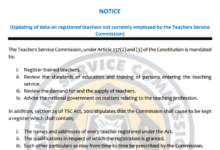

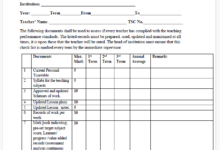

Get a complete guide at the Wealth Declaration Form Online Portal and Guide- TSC Latest News
Step 4: Fill in Personal Information
Provide:
-Your full names (as in TSC records)
-ID number
-KRA PIN
-Gender, designation, and school name
-County, sub-county, and workstation
-Double-check spellings and correctness.
Step 5: Declare Your Income, Assets, and Liabilities
-You’ll find three main sections:
A. Income
Include all sources of income, such as:
- TSC salary
- SACCO dividends
- Rental income
- Farming, business, or consultancy
> Example:
Salary from TSC — Ksh 2,200,000 per year
Dividends from SACCO — Ksh 60,000 per year
B. Assets
List what you own:
- Land or plots (give location, approximate value)
- Houses or rental buildings
- Vehicles
- Bank savings, shares, or livestock
> Example:
Land in Siaya — Ksh 300,000
Toyota Axio — Ksh 2,000,000
C. Liabilities
List what you owe:
- Loans (bank, SACCO, HELB)
- Mortgages
- Hire purchase, etc.
> Example:
SACCO loan — Ksh 150,000
Step 6: Declare Spouse and Dependents
Enter:
- Spouse’s name and ID number
- Children’s names and ages
If you are single or have no dependents, just select “No dependents” or type “N/A” for Not Applicable.
Step 7: Review Your Declaration
Go through all entries carefully. Ensure:
- No section is left blank.
- Values are realistic and consistent.
- Then click “Preview” to see your full declaration summary.
Step 8: Submit
Click “Submit Declaration”
Wait for the confirmation message , “Declaration submitted successfully.”
You can then download and print a copy for your own records.
Common Errors to Avoid
- Leaving required fields blank
- Entering invalid email formats (e.g., missing “@”)
- Forgetting to save before moving to the next section
- Using symbols like commas (,) or “/=“ in numeric fields