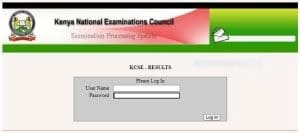
How to Access Your 2025 KCSE Results Online.

The 2025 KCSE results have been released, with approximately 1,000,000 candidates assessed at 10,755 centers.
To view your results online, go to https://results.knec.ac.ke/, enter your index number and name, then submit to see or print your results.
The SMS method for checking results has been discontinued; please use the online portal or visit your school instead.
Where and How to Access the 2025 KCSE Results
The results can be accessed online through the Kenya National Examinations Council (KNEC) Results Portal, providing a quick and direct way to obtain them.



Here’s how to check your results:
Online Access via KNEC Portal
1. Visit the Portal: Go to https://results.knec.ac.ke/. Be aware that high traffic may cause slow loading times.
2. Enter Your Details: Input your 11-digit index number and your registered name as it appears on the examination records.
3. Submit Information: Click the “Submit” button to continue.
4. View Results: Your results will be displayed on the screen. You can print or save a copy for your records.
2025 KCSE Results
No SMS Option
KNEC previously offered SMS-based result checking, but this service is no longer available.
Candidates and parents must now use the online portal or check the results through their schools.
How to Access Your 2025 KCSE Results Online.
The 2025 KCSE results have been released, with approximately 1,000,000 candidates assessed at 10,755 centers.
To view your results online, go to https://results.knec.ac.ke/, enter your index number and name, then submit to see or print your results.
The SMS method for checking results has been discontinued; please use the online portal or visit your school instead.
Where and How to Access the 2025 KCSE Results
The results can be accessed online through the Kenya National Examinations Council (KNEC) Results Portal, providing a quick and direct way to obtain them.
Here’s how to check your results:
Online Access via KNEC Portal
1. Visit the Portal: Go to https://results.knec.ac.ke/. Be aware that high traffic may cause slow loading times.
2. Enter Your Details: Input your 11-digit index number and your registered name as it appears on the examination records.
3. Submit Information: Click the “Submit” button to continue.
4. View Results: Your results will be displayed on the screen. You can print or save a copy for your records.
2025 KCSE Results
No SMS Option
KNEC previously offered SMS-based result checking, but this service is no longer available.
Candidates and parents must now use the online portal or check the results through their schools.
How to Access Your 2025 KCSE Results Online.
The 2025 KCSE results have been released, with approximately 1,000,000 candidates assessed at 10,755 centers.
To view your results online, go to https://results.knec.ac.ke/, enter your index number and name, then submit to see or print your results.
The SMS method for checking results has been discontinued; please use the online portal or visit your school instead.
Where and How to Access the 2025 KCSE Results
The results can be accessed online through the Kenya National Examinations Council (KNEC) Results Portal, providing a quick and direct way to obtain them.
Here’s how to check your results:
Online Access via KNEC Portal
1. Visit the Portal: Go to https://results.knec.ac.ke/. Be aware that high traffic may cause slow loading times.
2. Enter Your Details: Input your 11-digit index number and your registered name as it appears on the examination records.
3. Submit Information: Click the “Submit” button to continue.
4. View Results: Your results will be displayed on the screen. You can print or save a copy for your records.
2025 KCSE Results
No SMS Option
KNEC previously offered SMS-based result checking, but this service is no longer available.
Candidates and parents must now use the online portal or check the results through their schools.
How to Access KCSE Results 2025 Online via the KNEC Portal
You can access your results online through the Kenya National Examinations Council (KNEC) portal. This platform has replaced the SMS service used in previous years, ensuring instant access to your performance breakdown.
What You’ll Need:
- Student’s index number
- Registered names
- KNEC username and password (for some specific platforms)
Steps to Access Results Online:
- Visit the KNEC results portal.
- Enter your candidate’s index number and registered names as they appear in the registration data.
- Submit the details and download or print your result slip.
Ensure you have a stable internet connection to avoid disruptions during the process.