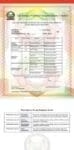
Knec KPSEA Grade 6 CBC Exams Result Slip
How to check KNEC KPSEA (GRADE 6) Results
The Knec grade 6 exams (KPSEA) results are now available in the Knec portal. The exact portal where the results are found is Competency Based Assessment (CBA) portal.
Individual candidates and parents cannot download the results directly. These results can only be downloaded by respective schools. It is the head teachers or designated teacher with the password who can access the results.
Once you have the school Knec password, proceed as follows:
1) Visit the KNEC Cba Portal
2)Go to Assessment Reports
3)Go to NOMINAL ROLL-Copy the Assessment no. of the Student you want to check the Results
4)Go back to KPSEA SLIP Option, paste the Assessment no.you copied, then click on view
5)The front page of the Results is the KNEC logo and the next page shows the Details Nd Results of the student, you can view and also print.
KPSEA results KNEC download link
KPSEA Results released, uploaded on Knec portal (2023 Grade 6 exams results)
Grade 6 KPSEA results out today; How to check
How to check KNEC KPSEA (GRADE 6) Results
Get the latest Mwalimu National Sacco BOSA Loans Application Form {Free Download}, here. PDF Latest…
Here is the revised and latest Mwalimu National Sacco FOSA Salary Advance Application Form {Free…
Here is the latest Mwalimu National Sacco FOSA Instant Loan Application Form {Free Download}. Download…
The landscape of digital gambling has shifted toward high-octane mechanics that prioritize volatility and massive…
The Teachers Service Commission (TSC) has advertised 170 job vacancies across, covering senior, mid‑level, and…
Health Cabinet Secretary Aden Duale has ordered immediate changes to the Social Health Authority (SHA)…

