
HOW TO MARK THE ATTENDANCE REGISTER FOR KNEC CONTRACTED OFFICIALS ONLINE.
The contracted professionals’ attendance register is marked by the Centre Manager (Principal or Head Teacher) on a daily basis during the examination period. This shall be carried out by the Centre Manager. The Knec contracted Professionals whose registers are marked include: Centre Managers, Supervisors, Invigilators and Security Officers.
To mark the register:
1). Visit the KNEC contracted professionals’ portal by using the address https://cp2.knec.ac.ke
2). To log in, Type the User name and password, as provided by the Sub County Director. These log in credentials are for the examination centre and not those of the Centre manager.
3). Once logged in, mark the daily attendance for the Supervisor, Invigilator, Security personnel and the centre manager.
The attendance register is marked on a daily basis during the exam administration period for the centre. Knec uses the register to pay for the days worked by the contracted Professionals.
-
 Knec CBA Portal For Parents (https://cba.knec.ac.ke/parent-login)
-
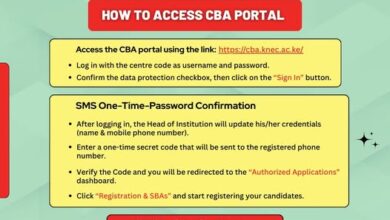 Knec Registration of candidates for 2026 KJSEA {Official Guide}
-
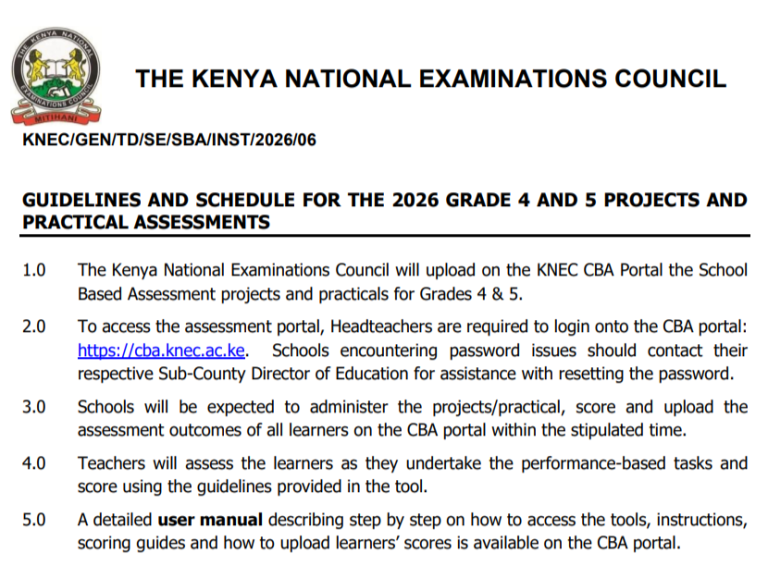 Knec official guide for 2026 Grade 4 and 5 projects and practical assessments
-
Makairo Secondary School’s KCSE 2023/2024 Results Analysis, Ranking Grades Distribution and Location