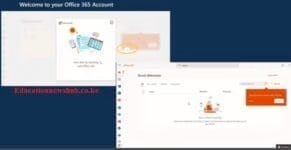
New TSC Email Activation Step by Step Guide.
Teachers, if you still have a headache in validating your TPAY DATA (SPECIFICALLY EMAIL), please visit the TSC COUNTY OFFICES or send an email to tpayverification@tsc.go.ke.
Also read: TSC payslips online; Login, register and download payslips (T-pay portal https://tpay.tsc.go.ke/)
STEP ONE
Download an app from playstore called MICROSOFT365 OUTLOOK. It is blue in colour then install.
STEP TWO
Open the App then click Add account. Remember the app is two in one (Gmailgoogle& 365outlook).
Use only the 365outlook then click Add account. Insert your Email.
For instance if your name is James Ben Kevin with a TSC number of 456780, your email should be Jameskevin80@mwalimu.tsc.go.ke.
Enter the Email and then click next.
STEP THREE
Click forgot password then follow the procedure. An OTP (One Time Password) will be sent to your phone number, then change the password.
STEP FOUR
Now, Login using your new password.
STEP FIVE
Go to your payslip then try validating the email, a short code will be sent to your OFFICE365 OUTLOOK APP.
Copy the code and insert in your payslip.
Hope this was of great help.
Get the latest Mwalimu National Sacco BOSA Loans Application Form {Free Download}, here. PDF Latest…
Here is the revised and latest Mwalimu National Sacco FOSA Salary Advance Application Form {Free…
Here is the latest Mwalimu National Sacco FOSA Instant Loan Application Form {Free Download}. Download…
The landscape of digital gambling has shifted toward high-octane mechanics that prioritize volatility and massive…
The Teachers Service Commission (TSC) has advertised 170 job vacancies across, covering senior, mid‑level, and…
Health Cabinet Secretary Aden Duale has ordered immediate changes to the Social Health Authority (SHA)…
