
The USSD Code *642# is a convenient and secure way to access funds from the HELB-MPESA Wallet.
Follow these easy steps to make your withdrawal.
Step 1: Dial *642# from your registered Mpesa line.
Step 2: Register and choose a PIN that you can be able to remember.
Step 3: Dial *642# again to login and select withdraw funds.
Step 4: Choose upkeep option and indicate the amount you want to withdraw.
Step 5: Enter your Mpesa PIN Number to complete the transaction.
Step 6: A confirmation message from Mpesa will be sent to you.
Please note that Ksh15 will be charged per transaction made.
Related Articles
 Higher Education Loans Board, HELB, to publish names of defaulters since 1975 on newspapers; This is what you should do
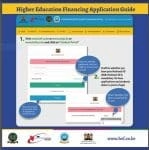 HEF Portal login & Loan application