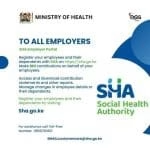
Registration for the Social Health Authority, SHA. Get the comprehensive guide here.
It is time to transit to SHA from NHIF. Effective 1st October you will be treated under SHIF/SHA.
How to apply for SHIF/SHA
1.)Dial *147# on your mobile phone.
2.)Enter your national identification number (ID) when prompted.
3.) Follow the prompts to enter your personal information, including name, date of birth, and contact information.
Online application
✅Open a web browser and visit the Social Health Authority website.
✅Click on the “Register” button at the top of the page.
✅On the next page, click “Proceed” to accept the Terms and Conditions.
✅On the registration page, fill in your personal information, including your ID type and number and the phone number associated with your ID.
✅Click “Proceed” to create your account.
✅An OTP (one-time password) will be sent to your registered phone number. Enter it on the website.
***
Congratulations! You have completed and submitted the online pre-registration form.
Now you will need to visit any authorized SHA agent for biometric verification and activation.
***
✅Once you have completed the registration process and activated your account, Click on “Profile” on the SHIF website to update your information.
✅ Upload your most recent passport-sized photo.
✅Fill in your employment status and civil status and answer the disability question
✅ Click “Next” to update your contact information. Once done, click “Next” again.
✅ On the next page, confirm that everything is correct and accept the declaration by clicking on the box provided.
✅ Click “Submit” to complete your registration.
***
After that you will be Done.
Get the latest Mwalimu National Sacco BOSA Loans Application Form {Free Download}, here. PDF Latest…
Here is the revised and latest Mwalimu National Sacco FOSA Salary Advance Application Form {Free…
Here is the latest Mwalimu National Sacco FOSA Instant Loan Application Form {Free Download}. Download…
The landscape of digital gambling has shifted toward high-octane mechanics that prioritize volatility and massive…
The Teachers Service Commission (TSC) has advertised 170 job vacancies across, covering senior, mid‑level, and…
Health Cabinet Secretary Aden Duale has ordered immediate changes to the Social Health Authority (SHA)…
