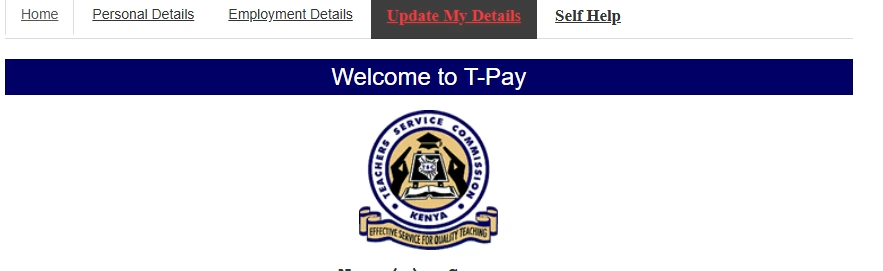
The Teachers Service Commission (TSC) has asked all teachers to update their data on the Payslips portal, Tpay. This is in a bid of enhancing the security of teachers’ information, in line with the Data Protection Act 2019.
TSC boss Nancy Macharia has urged all heads of institutions to verify and approve the profile of teachers under their supervision; with immediate action.
“TPAY validation exercise takes effect from June 9 and will close on July 15,” Macharia says in a circular dated June 8.
She said that heads of institutions who will not have validated details of teachers under their supervision within the stipulated time will not be able to access their TPAY accounts.


Profiles for primary school heads are to be verified and approved by the Sub County Directors while County Directors will approve for post-primary institutions heads.
To validate the data, teachers are expected to access the payslip page through the TSC website and log into TPAY.
Teachers are required to upload a passport photo showing their face, without spectacles or head cover after which they enter and verify their phone numbers.
HOW TO UPDATE T-PAY PROFILE AT THE PAYSLIPS PORTAL ONLINE
In order to enhance the security of teachers’ information and in line with the Data Protection Act 2019, the Commission requires all teachers to update their TPAY profile in the following manner:
i. Access the payslip page through the TSC website and log into TPAY
ii. Upload a passport photo clearly showing the face, without glasses or head-covered,
iii. Enter and verify current mobile numbers,
iv. Once you enter the mobile number and OTP (One Time Password) will be sent to your mobile number,
v. Input the OTP to validate the mobile number,
vi. Click on the validate tab to verily that it is the correct moble number, NB: Only a valid code will be accepted and once verified the number cannot be changed. The mobile number will be used during loan application and approvals.
vii. Enter and verify official email issued by the Commission e.g [email protected]
NB: A One-Time-Password (OTP) code will be sent to the email provided. Only a valid code will be accepted to verify the email. The email will be used during loan application and approvals.
viii. Click on the validate tab to verify the email.