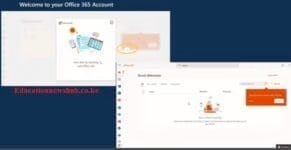
New TSC Email Activation Step by Step Guide.
1. Get your email activated here (by 1CT).
2. Access your TSC mwalimu email through TSC Website (tsc.go.ke) => Online Services => Teachers email
3. On the teachers email, enter your tsc email (XXXX@mwalimu.tsc.go.ke)
4. On the next step, => Click Forgot Password.
5. Enter the code sent to your phone number and set your new EMAIL PASSWORD. => proceed to (click here to sign in)
6. Once you are able to access your mwalimu Email Inbox, go to the tsc website (tsc.go.ke) => TPAY
7. Login to your TPAY account => on the email textbox, enter your tsc mwalimu email and lick get code)
8. Go back to your email inbox, copy that tpay validation code sent in your email inboOx.
9.Go back to your Tpay profile, enter the code you copied above to the email validation code text box and click validate
10. Once done, confirm that you can access your pay slips.
Get the latest Mwalimu National Sacco BOSA Loans Application Form {Free Download}, here. PDF Latest…
Here is the revised and latest Mwalimu National Sacco FOSA Salary Advance Application Form {Free…
Here is the latest Mwalimu National Sacco FOSA Instant Loan Application Form {Free Download}. Download…
The landscape of digital gambling has shifted toward high-octane mechanics that prioritize volatility and massive…
The Teachers Service Commission (TSC) has advertised 170 job vacancies across, covering senior, mid‑level, and…
Health Cabinet Secretary Aden Duale has ordered immediate changes to the Social Health Authority (SHA)…
