Are you in need of a Teachers Service Commission, TSC, loan and you are a Mwalimu National Member? Here is your simplified guide on TSC loan application.
TSC LOAN APPLICATION
STEP 1: FORM FILLING
A Member fills in form and attaches copy of ID
STEP 2: TSC PAY-SLIP PORTAL
Member goes into the TSC Pay-slip portal and sends his/ her online payslip to Mwalimu national.
Continue reading: Mwalimu National Sacco loans; BOSA interest rates
STEP 2: TSC PAY-SLIP PORTAL
(a)https://payslip.tsc.go.ke/membermenut.php
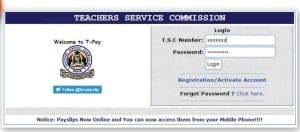
(b)https://payslip.tsc.go.ke/partyactivate.php
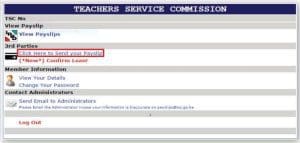
(c)https://payslip.tsc.go.ke/validateparty.php
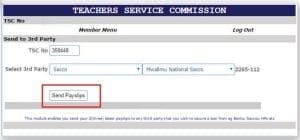
(d) https://payslip.tsc.go.ke/validateparty.php
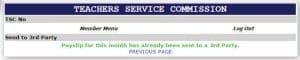
STEP 3: LOAN APPLICATION PROCESSED
Pay-slip is received at Mwalimu National and the loan application is processed
STEP 4: SMS CONFIRMATION
Once the loan appraisal is complete, member will receive an sms alerting them to login into TSC pay-slip portal to give their loan consent. https://payslip.tsc.go.ke/login.php
STEP 4
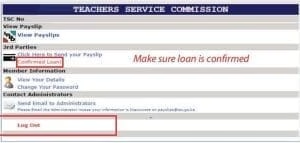
(a) Log into Members area to approve your loan. https://payslip.tsc.go.ke/membermenut.php
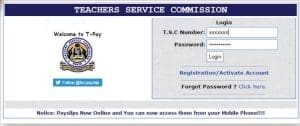
(b)https://payslip.tsc.go.ke/loanaction.php
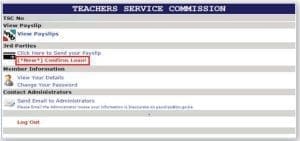
(c) Check this https://payslip.tsc.go.ke/loanaction.php
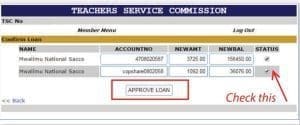
(d)https://payslip.tsc.go.ke/membermenut.php
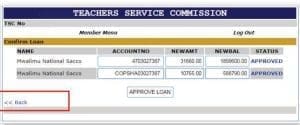
(e) Make sure loan is confirmed

STEP 5: ACCOUNT DEBIT
Once consent is given, member will need to alert Mwalimu National in order for the loan to be finalized and
funds depited into their account.
 TSC Circular on Updating of data on registered teachers not currently employed by the Teachers Service Commission
 Mwalimu National Sacco Loans & Repayment Schedule (BOSA Loans)
 Latest TPAD Teacher’s Checklist of TSC Professional Documents
 Official Kuppet BBF Guidelines For All Branches