TSC Online Payslip: Your Comprehensive Guide
In summary. Get full guide on:
TSC Payslip Online Login Page:
Everything You Need to Know.


Main Story.
Are you a teacher in Kenya looking to access your TSC online payslip? This article will provide you with all the essential information regarding the TSC online payslip.
We will begin by defining what it is and its importance for teachers. Following that, we will explore the various elements of the payslip and explain the meaning of each section.
Next, we will offer a detailed guide on how to register for a TSC account and access your TPAY account.
We will also address common issues users encounter during the registration and login processes, along with solutions to help resolve these problems.
Furthermore, we will explain how to download your payslips and interpret the information they contain.
Finally, we will share updates on TSC and TPAY, as well as troubleshooting tips for any common challenges you may face while using the system.
Continue reading to familiarize yourself with all aspects of the TSC online payslip.
Understanding TSC Online Payslip
With the TSC online payslip, you can access your latest payslip information, including salary, deductions, and benefits, anytime and anywhere.
The user-friendly online portal streamlines the process, removing the need for physical copies. Your payslip details are just a click away, typically located on the left side of your screen.
**Importance of TSC Online Payslip**
The TSC online payslip makes it easy to monitor your salary and deductions. It provides quick access to your payslip, saving you time and effort.
Teachers can view their payslips from primary school onward, helping them maintain accurate financial records. The portal promotes transparency by clearly displaying payslip details on the left side of your screen.
**Components of TSC Online Payslip**
The online TSC payslip conveniently shows your basic salary, allowances, and deductions.
It also includes your personal information, TSC number, and ID number on the left side of your screen, making it easy to understand your earnings and manage your financial records.
**Guide to Register for a TSC Account**
Registering for a TSC account is straightforward and can be done online, eliminating the need for in-person visits.
You will need your TSC number, ID number, phone number, and email address. The portal will guide you through each step and provide a new password for secure access.
**Step-by-Step Registration Process**
Here’s a paraphrased version of the text:
Scan original documents (under 1MB) for upload; certification is not required.
Visit the TSC online portal at https://teachersonline.tsc.go.ke/.
Select ‘New Teacher Registration’ from the top left.
Input your ID or Passport number along with your surname, then click ‘Next.’
Provide your phone number, KRA PIN, and select your category (ECDE, Primary, or Post-Primary).
Choose your Mean Grade and Exam Year, and fill in your personal information.
Upload scanned documents individually; if documents are lengthy, combine them into a single PDF.
Enter the details for each document, click ‘Save Document,’ and then ‘Next’ for the next upload.
Complete the information regarding your college/university subjects, study hours, grades, and any other pertinent details.
Specify your payment method (National Bank of Kenya or other options) and click ‘Finalize and Save.’ (Payment: Pay Bill Business Number 625625).
Accessing Your TPAY Account
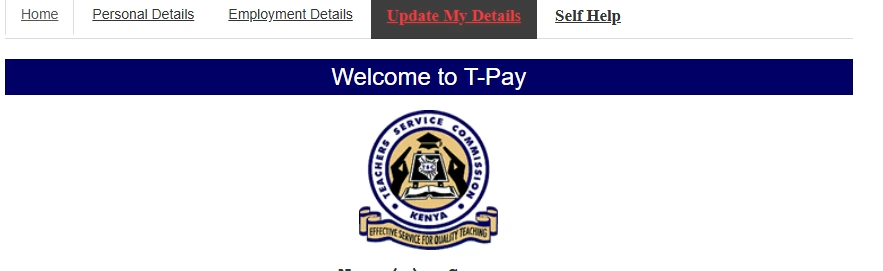
By visiting the official TPAY portal, you can view your payslips, deductions, and SACCO information. Logging in requires your username and password. Once logged in, your TPAY account will show a list of payslips, which can be easily viewed and downloaded from the left side of your screen.
How to Log In to Your TPAY Account
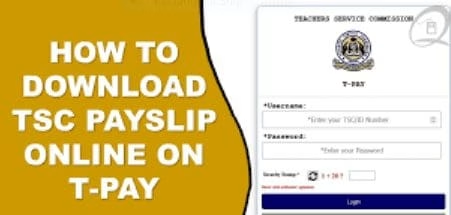
Go to https://tpay.tsc.go.ke/ and click on the ‘login’ tab on the left side of your screen.
Enter your username and password, then click ‘login.’
You will be taken to the complete menu of your account.
The portal provides clear instructions for easy access to your payslip details, including tabs for deductions and other relevant items, ensuring a quick and efficient login experience that conveniently displays all necessary information.
What to Do If You Forget Your Password
If you forget your password, the portal offers a secure reset option. It will guide you through the process and ask for email and ID verification. The steps are straightforward, making it easy to reset your password and regain access to your account.
Downloading TSC Payslips
Once you log in to your TPAY account, you can download your payslip by following these steps:
Steps to Download Payslips
Click on the ‘payslips’ tab in your TPAY account.
Select the ‘months’ tab to choose the period for the payslip you wish to download.
Click on the ‘screenshot’ option to preview the payslip, then click ‘download’ to save it to your device.
Understanding Your Payslip Information
Make sure your online payslip displays your full name, TSC number, and school name. Check the deductions, including third-party ones like SACCO. Use the months tabs to access different monthly payslips. Look for a detailed breakdown of earnings and deductions. Contact TSC if you notice any discrepancies.
Updates on TSC and TPAY
Stay informed about new features on TSC and TPAY through the TSC portal. Regularly check your payslip for any changes. Access your payslips online conveniently. Keep your TSC registration up to date to ensure uninterrupted service. Make sure your contact information is current for communication from TSC.
Latest News on TSC
Keep up with the latest news from TSC.