
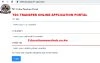
The TSC online portal and the transfer application procedure are both explained in detail in this article for the benefit of the teacher.
Application Process Overview
The Commission may transfer teachers based on specific criteria, although the Appointment Board typically evaluates transfer requests.
A teacher must submit a transfer application at the TSC transfer online portal
The TSC County Director is responsible for managing transfers within a county for primary school teachers, while TSC headquarters is responsible for transfers to tertiary institutions and outside the county.
Requests are promptly acknowledged, and decisions are communicated in a timely manner, contingent upon the availability of vacancies and the availability of replacements.
How to Apply for TSC Teacher Transfer Online
The following actions should be taken to begin the transfer application process:
- Visit the official TSC website at www.tsc.go.ke.
- Select the “Online Services” tab.
- Choose “Teacher Transfer” from the available options.
- Click “Login” after providing your information (TSC number, ID number, and mobile number).
- Click “Login” and enter the six-digit authorization code that was sent to your registered mobile number.
- The system will determine whether you are a primary or post-primary teacher.
- To continue, click “Submit a Request for Transfer.”
- Complete all necessary information and verify the declaration box.
- After inputting your information, select “OK.”
Attach Accompanying documentation.
If you are required to submit supporting documents for your transfer request, such as those for insecurity or medical reasons, please adhere to the following steps:
- The current station and the requested county will be displayed by the system.
- To attach the required documents, select the “File Attachment(s)” icon.
- If necessary, you may modify, rescind, or print your transfer request.
- Select the document you wish to attach by clicking “Browse.”
- Please include any additional comments.
- After attaching the document, verify the dialogue pane and select “OK.”
- You will be able to examine or remove your attachments.
- Select the “Submit” icon.
- Exit the system.
To exit the system in a secure manner:
- Select the “Logout” option.
- Head of Institution (HOI) Recommendation
- The subsequent phase entails the Head of Institution (HOI) issuing a transfer recommendation, which may be accomplished via the HOI portal or email notifications.
Email Notifications:
- Access your email inbox.
- Select the email notification link.
- Please provide your feedback in the capacity of the institution’s head.
- Select “Submit.”
HOI Portal:
- Please visit the TSC website at www.tsc.go.ke.
- Click on “Online Services,” then choose “HRMIS,” and finally “Teacher Transfer.”
- Please enter your TSC number, ID number, and mobile number, and then select “Login.”
- Click “Login” and enter the authorization code that was sent to your mobile device.
- Incoming transfer requests will be displayed on the HOI portal.
- To suggest the transfer and provide feedback, select the “Action” option.
- Select the “Submit” icon.