2025 TSC Wealth Declaration: Key Deadlines and Portal Details
- Current Cycle: 2023/2025 Declaration of Income, Assets, and Liabilities (DIALs).
- Deadline:December 31, 2025.
- Reporting Period: Information must cover the past two years (generally from November 2023 to October 2025).
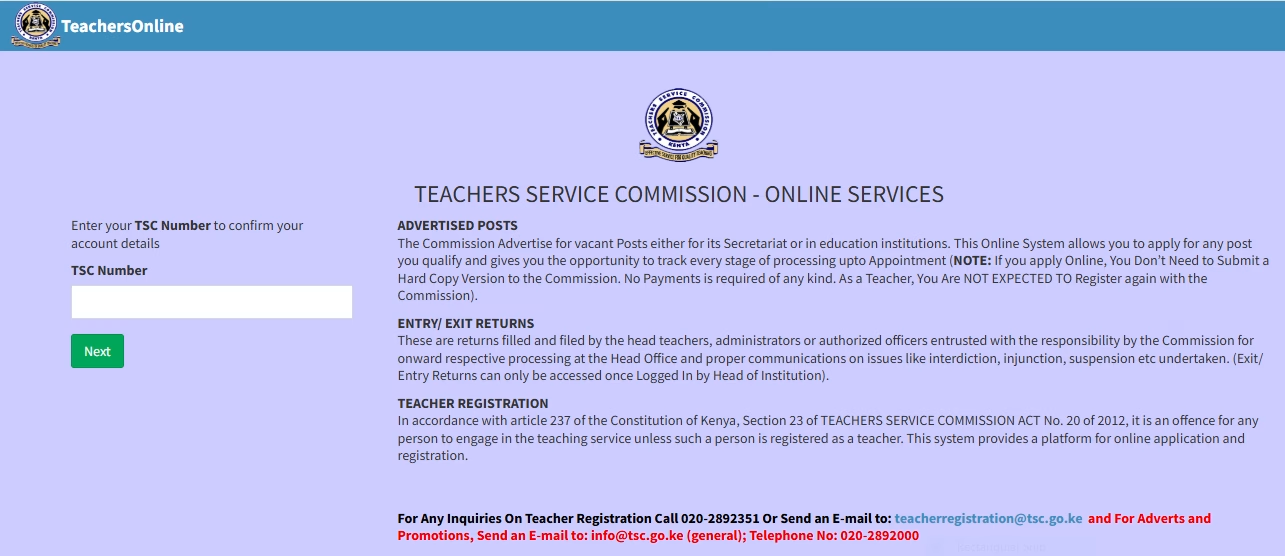
- Online Portal: Submission is strictly online via the TSC Online Services Portal or the Teachers Online Portal.
2025 TSC Wealth Declaration: Required Information
The declaration requires details for the officer, their spouse(s), and dependent children under 18:
- Income: Gross salary, emoluments, and income from investments or businesses.
- Assets: Land, buildings, vehicles, bank balances, and other investments.
- Liabilities: Loans (Sacco, bank, or mobile), mortgages, and other debts.
- Witness Details: Name, ID number, and signature (for online purposes, their details are entered).
2025 TSC Wealth Declaration: Step-by-Step Submission Process
- Login: Access the TSC Online Portal using your TSC number and password.
- Select Menu: Click on the “Wealth Declaration” menu and select “General Info”.
- Basic Details: Fill in your personal information (address, marital status, birth information).
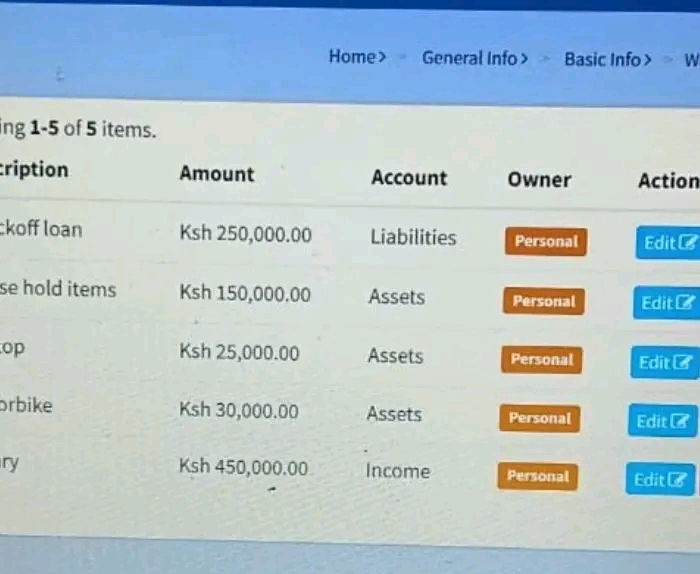
- Income & Assets: Enter your financial statements for the past two years. You must click “Add/Save” after each entry to ensure data is captured.
- Dependents: Provide details for your spouse(s) and any children under 18 years.
- Witness: Enter the details of a witness who can verify your declaration.
- Submit: Preview your report, then click “Submit.” You should receive an SMS confirmation and a PDF copy via your registered email.
2025 TSC Wealth Declaration: Penalties for Non-Compliance
Failure to submit by the December 31 deadline may result in:
- Fines: Up to Ksh 1,000,000.
- Imprisonment: Up to one year in jail.
- Administrative Action: Suspension of salary or other disciplinary measures by the TSC.
2025 TSC Wealth Declaration: Common Mistakes Committed and How to avoid them.
Common mistakes teachers make when filling out the Teachers Service Commission (TSC) wealth declaration form often relate to
omissions, data entry errors, and failing to adhere to submission guidelines. These can be avoided through careful preparation and adherence to instructions.
2025 TSC Wealth Declaration: Common Mistakes
- Leaving fields blank: Failing to fill in required fields for income, assets, liabilities, or dependents is a frequent error.
- Incorrect asset/liability valuation: Providing unrealistic or inconsistent values for properties, vehicles, loans, or savings can lead to requests for clarification or disciplinary action.
- Using incorrect email formats or contact details: Entering an invalid email address (e.g., missing “@” symbol) can prevent receiving the vital submission confirmation and password reset information.
- Forgetting to save information: Failing to click the “Save” or “Add” button before moving to the next section means the data is lost and won’t be included in the final submission.
- Using prohibited symbols in numeric fields: Including commas (
,) or currency symbols (like/=) in fields meant for numbers only can cause system errors. - Ignoring spouse/dependent details: Omitting the required financial details for a spouse and dependent children under 18 years, where applicable, is a compliance issue.
- Last-minute submission: Waiting until the deadline can lead to issues with system downtime or slow loading due to heavy traffic, making timely submission difficult.
- Providing false information: Intentional misrepresentation of wealth can result in serious disciplinary action and legal sanctions.
2025 TSC Wealth Declaration: How to Avoid Mistakes
- Gather all documents beforehand: Keep all supporting documents, such as P9 forms, bank statements, property deeds, and loan statements, close by to ensure accuracy.
- Read the instructions carefully: Familiarize yourself with the guidelines on the form and the online portal before starting.
- Be truthful and transparent: Declare all income, assets, and liabilities accurately to foster integrity and avoid legal or disciplinary actions.
- Use the correct email address: Ensure you provide a valid personal email address to receive submission confirmation and for password recovery purposes.
- Save frequently: Use the “Save” or “Add” button as you complete each section to prevent data loss.
- Review before final submission: Utilize the “View Summary” or “Preview” feature to check all entries for errors or omissions before clicking the “Submit” button.
- Submit early: Access the TSC online portal during off-peak hours (late at night or early in the morning) well before the deadline to avoid system congestion.
- Seek clarification when in doubt: If you are unsure about any section, contact the TSC or a relevant authority for guidance.
- Keep records: Download and print a copy of your submitted declaration for your personal records.
What happens after submitting your Wealth Declaration Form
After submitting the Teachers Service Commission (TSC) wealth declaration form online, a verification and review process begins to ensure compliance with the Public Officer Ethics Act (POEA).
1. Confirmation of Submission
- System Message: Immediately after clicking submit, the portal displays a confirmation message such as “Declaration submitted successfully”.
- Email Receipt: A copy of the completed declaration is automatically sent to the email address registered in the system for your records.
- SMS Alert: You will typically receive an SMS notification from TSC Kenya confirming the process is complete.
2. Verification and Review
- Review Period: The TSC reviews each declaration to identify omissions or inconsistencies.
- Clarification Requests: If discrepancies are found (e.g., between declared assets and known income), the commission may request written clarification within six months of submission.
- External Verification: Authorized agencies like the Ethics and Anti-Corruption Commission (EACC) and the Kenya Revenue Authority (KRA) have access to these reports to verify data against tax records and other integrity tools.
Watch out for a list of noncompliant teachers that is published by the Teachers Service Commission, TSC.
3. Monitoring and Enforcement
- Net Worth Calculation: The system uses the provided data to calculate your “Net Worth” based on the relationship between your income, assets, and liabilities.
- Administrative Actions: Failure to submit or providing false information can lead to severe consequences, including:
- Salary Stoppage: Your name may be removed from the payroll until compliance is met.
- Fines and Penalties: Legal sanctions under the Conflict of Interest Act (2025) or POEA can include a fine of up to Ksh 1,000,000 or imprisonment for one year.
- Disciplinary Action: Internal TSC disciplinary procedures may be initiated for non-compliance.
4. Record Retention
Teachers are advised to download and print a summary of their declaration from the portal immediately after submission to serve as future proof and for use in subsequent declarations.