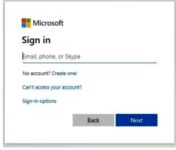
TSC Email activation procedure for all teachers.
Your TSC Email is usually: your first name, surname ,last two digits of your tsc number @tsc.go.ke
To confirm your TSC Email follow the following steps👇
Type www.office.com on chrome site…
Click on sign in
Type your tsc email address following the procedure earlier given.
If in case showing incorrect username
Don’t loss hope
Try to start with the middle (father’s name) followed by Surname, last two digits of your tsc number @mwalimu.tsc.go.ke
Once it accepts
Reset your password
Save your password
Go to play store on your phone
Install outlook email apps
Sign in your tsc email and click save.
Keep your email username and password in your diary book.
KINDLY NOTE THAT you can’t access Tpay services including applying and approving loans, extracting P9 for purposes of filing returns until you update your Tpay details online.
If you have forgotten your tsc official email address, use this format:
IF your name is John James and your tsc number is 123593, then your Tsc Email will be Johnjames93@mwalimu.tsc.go.ke
If it is Jean Claud and TSC Number is 123472. Then, your Tsc Email will be Jeanckaud72@mwalimu.tsc.go.ke
Download Outlook app from Google play store and sign in with it.
For password you can click Forgot Password and follow prompts.
Get the latest Mwalimu National Sacco BOSA Loans Application Form {Free Download}, here. PDF Latest…
Here is the revised and latest Mwalimu National Sacco FOSA Salary Advance Application Form {Free…
Here is the latest Mwalimu National Sacco FOSA Instant Loan Application Form {Free Download}. Download…
The landscape of digital gambling has shifted toward high-octane mechanics that prioritize volatility and massive…
The Teachers Service Commission (TSC) has advertised 170 job vacancies across, covering senior, mid‑level, and…
Health Cabinet Secretary Aden Duale has ordered immediate changes to the Social Health Authority (SHA)…
