THE KENYA NATIONAL EXAMINATIONS COUNCIL
KPSEA/KILEA RESULTS
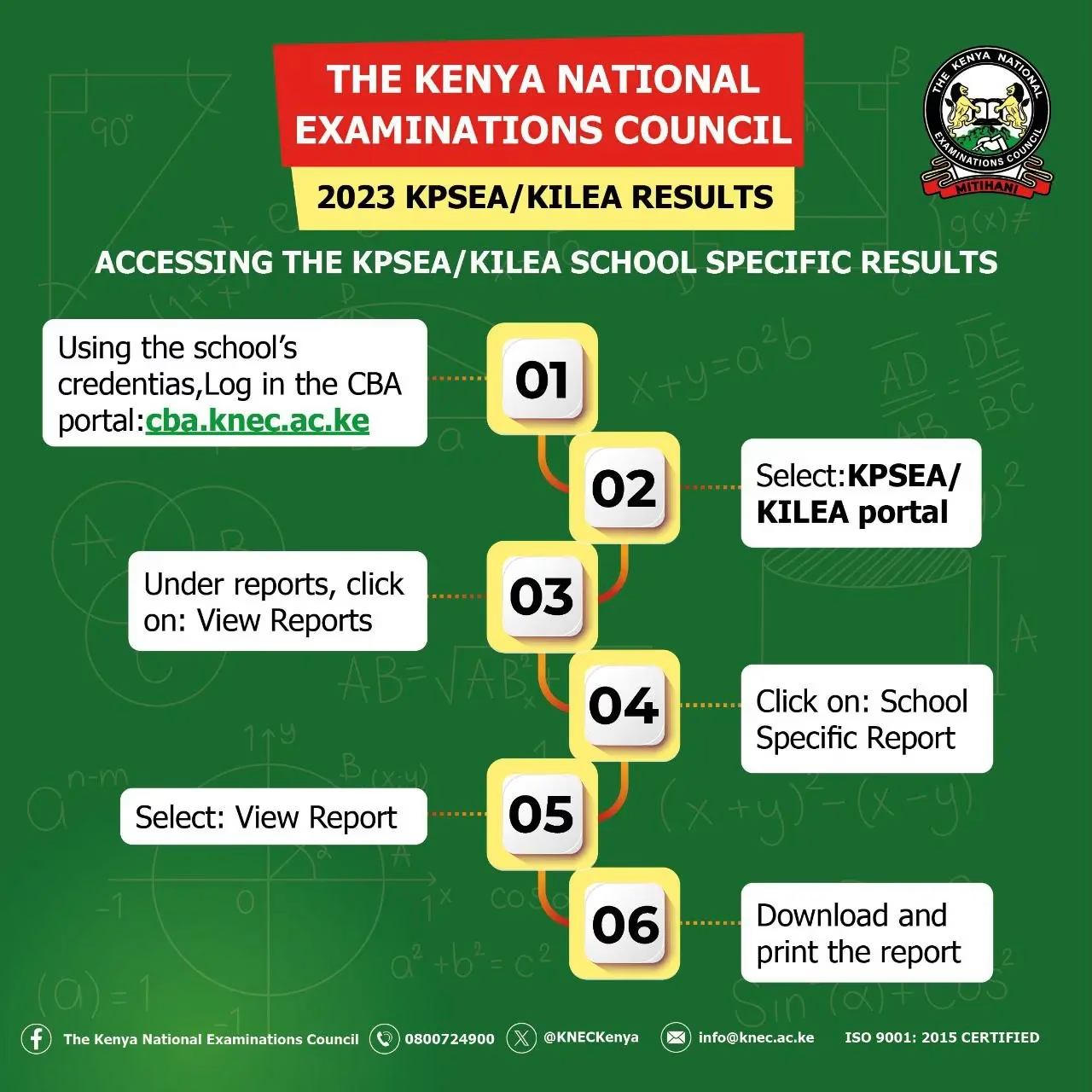
ACCESSING THE KPSEA/KILEA SCHOOL SPECIFIC RESULTS
Accessing the Kenya Primary School Education. Assessment (KPSEA) and Kenya intermediate level education assessment (KILEA) is now very easy. The results are now available online. Follow these simple steps:
- Using the school’s credentials, Log in the CBA portal: cba.knec.ac.ke
- Under reports, click on: View Reports
- Select: View Report
- Select: KPSEA/ KILEA portal
- Click on: School Specific Report
- Download and print the report
How to download KPSEA/KILEA results
Accessing an individual learner’s KPSEA/KILEA performance report:
- Log in to:cba.knec.ac.ke
- Select: KPSEA/KILEA portal
- Under reports, click on: View Reports
- Type assessment number then click on download KPSEA/ KILEA performance report
NB: Only schools can download KPSEA slips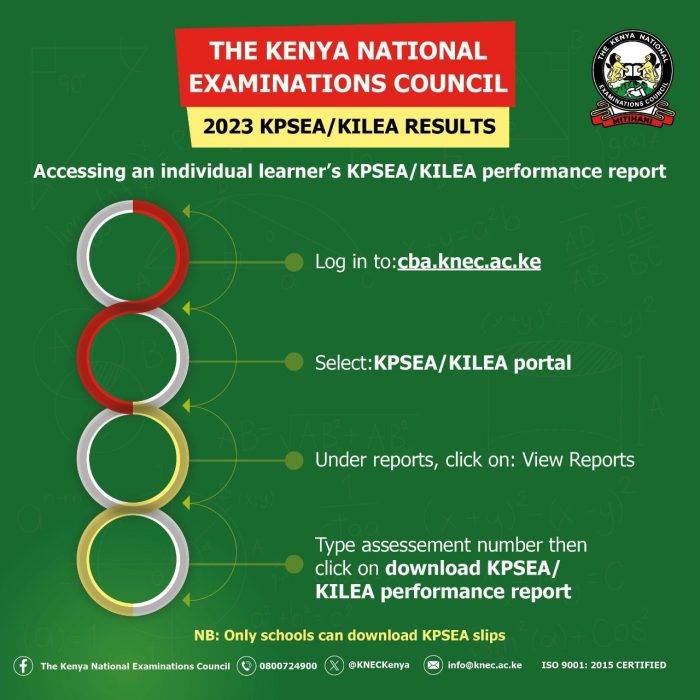
KPSEA Results Online 
KPSEA Results Online Also read
Best, top, Extra County Schools in Migori County
List of best performing Extra County schools in Machakos County
Full list of best performing, top, extra county schools in Kisumu County
Best, top, Extra County Schools in Kirinyaga County
List of all Boys Extra County Schools in Kenya; Location, Knec Code and Type
List of Best Extra County Schools, Knec Code, Contacts Per County
List of best performing, top, extra county schools in Kericho County
New list of all Extra County schools; Contacts and physical locations
Best Extra County schools in Embu County
Nakuru County Best National, Extra-County Secondary Schools
Siaya County KCSE Best National, Extra-County Secondary Schools
Mandera County KCSE Best National, Extra-County Secondary Schools
Turkana County Best National, Extra-County Secondary Schools
Homa Bay County Best National, Extra-County Secondary Schools