KNEC E-Certificate Platform: Best User Manual in pdf.
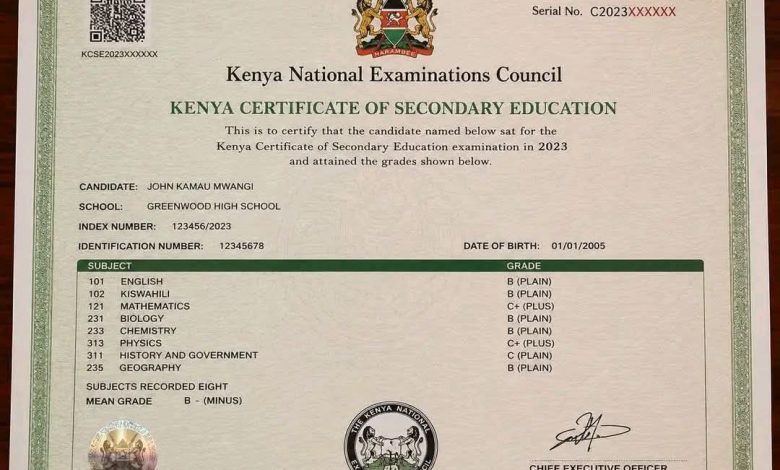
Lost your KCSE Certificate and need to replace it easily? Worry no more. You can now Download your KCSE Certificate from the Knec E-Certificate Portal. Here is the step by step Official KNEC User Manual for downloading your KCSE Certificate online.
Kenya National Examinations Council Combined User Guide — Applicants & Verifier Organizations: Version 3.0 — June 2026
Table of Contents
Part A — Applicants (Students / Alumni)
1. Getting Started — Registration & Login
2. Updating Your Profile
3. Generating an E-Certificate
4. Sending a Verification Report
5. Managing Notifications & Orders
Part B — Verifier Organizations
6. Verifier Signup & Onboarding
7. Verifier Login & Dashboard
8. Managing Your Organization Profile
9. Prepaid Wallet — Top Up & Pay by Credits
10. New Verification Request
11. Bulk Verification
12. Transactions & Reports
13. Verifier Notifications




Part C — General
14. Frequently Asked Questions
Kenya National Examinations Council — E-Certificate System User Guide Page 1 of 23 Part A — Applicants (Students / Alumni)
1. Getting Started
Registration
- Visit knec.ac.ke and click E-Certificate to access the KNEC E-Certificate portal, then click Sign Up / Register.
- The Sign Up page will open. Choose your account type:
• Applicant (Student / Alumni) — for individuals requesting their own certificates. - Verifier Organization — for institutions verifying candidate credentials. See Part B for the verifier flow..
Download the user manual below 👇