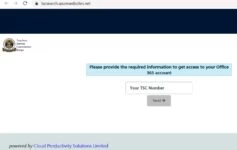
TSC Email Activation- Are you looking for a simplified procedure for you to activate your TSC Email? The Teachers Service Commission, TSC, has opened a new Electronic platform. All teachers are expected to activate their Emails online. Activate your Email today to avoid the last minute rush.
TSC Email activation guidelines
See also; TSC online portal; https://teachersonline.tsc.go.ke/
To easily activate your Email, follow the easy steps below;
- Go to your browser, under search bar… Type www.tsc.go.ke
- click ONLINE SERVICES
- EMAIL ACTIVATION; (A new page loads)
- Fill in your TSC NO. CLICK ‘NEXT’.
- Fill in your ID NO. Then click on ‘VERIFY’
- Then ‘VERIFY IMAGES’ based on instructions eg-select all images with tractors…
- After verification, TSC confirms already uploaded data of you.
- Click the tab ‘VIEW MY CREDENTIALS’. This gives you an official email account and its password e.g-Kaka43211@mwalimu.tsc.go.ke and TEMPORAL PASSWORD-POT43211.
- Then from here click office.com to go to the site
- once in that site, sign in by entering the email you had been given eg… Kaka43211@mwalimu.tsc.go.ke
- Then click next. Enter password you had been given eg pot50556 and then sign in
- Once open office.com will request for additional information on your account for security
- Click ‘next’ and select I WANT A DIFFERENT METHOD. Under the drop down menu select ‘PHONE’.
- Enter official no(as it will be used to reset your account, TSC PAYSLIPS ETC)
- Select country (KENYA) ENTER NO E.G 254723123123
- Under phone highlight ‘text me a code’. Then, you click ‘next’.
- Now, enter the code sent to you eg 444444 and click ‘proceed’ followed by ‘done’ and your account will be activated.
- From here you will have to change the password you had been given to a new one. Select ‘update your password’. Enter old password eg 444444 then your new password and click ‘Confirm new password’
- Sign in again with your new email and your new password and you good to go.
Also see; TSC email activation guidelines and procedure for teachers; Simplified procedure
Remember to get all TSC news here; TSC News Portal.
Get all manuals on email activation and use here; The new TSC E-platform.
By Editorial TeamThe Education News Hub Editorial Team is made up of vibrant and experienced editors. Brian Yano is an accomplished longtime Digital Media Journalist at Educationnewshub.co.ke with a great passion for research and fact-checking. He delivers engaging content across diverse topics, with a special interest in Education matters. On her part, Yvonne Kemunto is a journalist, dedicated to unraveling stories that matter. With a keen eye for detail and a passion for storytelling, she brings a fresh perspective to the world of media. Her commitment to detail and excellence shines through in every piece she crafts. Our newest member of the Editorial Team is Jennifer Mumbo. She is a Seasoned Multimedia Journalist with several years' experience; dating back to 2018. Jennifer has a passion for education, sports, tech, politics and entertainment. You can reach the editors at educationnewshub3@gmail.com.