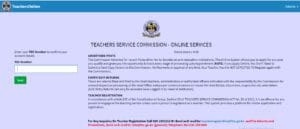
The TSC portal https://tsconline.tsc.go.ke/site/index for new tsc number application.
In a groundbreaking move towards efficiency and user-friendliness, the Teachers Service Commission, TSC, automated fully the teacher registration process and certificate issuance, ushering in a new era of convenience for
teachers.
This innovative approach to digitizing the teacher registration process not only simplifies bureaucracy but also promises to streamline the often cumbersome procedure, making it more accessible and seamless.
1. Go to www.tsc.go.ke. website
2. Select the “Online Services” tab.
3. Choose “Teachers Online Services.”
4. Click on “New Teacher Registration for Citizens” or “Teacher Registration for Non-Citizens.”
Enter ID number or passport number.
1. Input surname.
2. Provide personal mobile phone number.
3. Provide email address. (OTP is sent for confirmation; note that this email is crucial for certificate delivery).
Enter KRA pin
1. Specify category (ECD, Primary, or Post Primary) for citizens.
2. Provide KCSE grade and year for citizens.
3. Confirm trained teacher status for both citizens and non-citizens.
4. Click “Next” to proceed.
CHECK TSC NUMBER REGISTRATION STATUS ONLINE PORTAL
1. You’ll receive an OTP to the provided email.
2. Verify your email, as your certificate will be sent to this email.
Fill in mandatory fields for permanent and current address.
3. Click “Next” to save and proceed.
1. Upload primary, secondary, and tertiary certificates for non-citizens.
2. Click “Next” after uploading all required certificates.
HOW TO CHECK YOUR TSC NUMBER ONLINE
1. Fill in details and upload documents such as ID/passport, KRA pin, medical letter, certificate of good conduct, transcripts, passport photo, affidavit (if needed), certificate for persons with disability, and clearance commission of higher education.
2. Click “Next” to proceed.
1. Enter main and other subject scores, and hours trained for each subject.
2. Click “Save and Finalize” to complete application.
3. You’ll be directed to the eCitizen payment window.
4. Citizen Application = Ksh1050, Non-Citizen Application = Ksh 1050, Duplicate Certificate = Ksh2050.
5. On successful payment, review and print the summary page for record keeping.
6. Your application is submitted for verification and approval by TSC.
Note: Applications are processed within 30 days of submission.
After the successful issuance of your TSC Number, you will receive an email alert containing a download link.
This email will be sent to the address provided during registration.
Shortly after the email, you will receive an SMS from TSC. The SMS will specify your TSC Number, the email address where the download link was sent, and a one-time password (OTP) for verification.
STEP 10: Clicking the download link
Upon receiving the email, click on the download link provided. You will be redirected to the TSC website.
On the TSC site, you will be prompted to input the OTP sent to your SMS. Verify the OTP by entering it correctly.
Upon successful OTP verification, your TSC certificate will be downloaded automatically.
Note: Ensure the accuracy of the information provided in the SMS and email, as they contain essential details for accessing and downloading your TSC certificate.
Get the latest Mwalimu National Sacco BOSA Loans Application Form {Free Download}, here. PDF Latest…
Here is the revised and latest Mwalimu National Sacco FOSA Salary Advance Application Form {Free…
Here is the latest Mwalimu National Sacco FOSA Instant Loan Application Form {Free Download}. Download…
The landscape of digital gambling has shifted toward high-octane mechanics that prioritize volatility and massive…
The Teachers Service Commission (TSC) has advertised 170 job vacancies across, covering senior, mid‑level, and…
Health Cabinet Secretary Aden Duale has ordered immediate changes to the Social Health Authority (SHA)…
