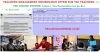
How to use the TMIS portal for TSC teachers.
The Teachers Service Commission, TSC, has released a list of teachers who are on the payroll but missing in the Teacher Management Information System (TMIS). The list, that is at our disposal, shows the teachers’ names, TSC numbers and teaching stations.
In Vihiga County, for instance, about 203 teachers are missing in TMIS.
The Commission expects all teachers (who are on its payroll) to be captured on the TMIS system. It is the responsibility of the school head to add teachers on the system. Those registered on the TMIS receive real time communication from the Commission; through the newly launched bulk SMS service.
The Commission has at the same time directed the affected teachers to contact their heads so that their details can be captured immediately.
See also; List of teachers missing on TMIS per county.
The Teachers Management Information System, TMIS, is a portal for teachers to update data from the Teachers Service Commission, TSC.
TMIS enables teachers to update their Bio data and other details. School details required include: basic school details, Ordinary enrollment, Teachers’ details, Teachers on Study leave, Subject Enrollment(CBE), Non full Teaching load (due to illness) and KCPE/ KCSE Performance.
You can capture and update data in TMIS in a straight and easy way.
Follow the steps below;
The TMIS portal is accessed by authorized individuals only i.e teachers employed by TSC. To log into the system;
Once logged into the TMIS system, the following can be updated, by the Principal;
To update the teachers’ mobile phone numbers use the following steps:
The following information can also be updated in TMIS:
This involves submission of : basic school details, Ordinary enrollment, Teachers’ details, Teachers on Study leave, Subject Enrollment(CBE), Non full Teaching load (due to illness) and KCPE/ KCSE Performance.
This is done by clicking on TMIS RETURNS, followed by ‘Submit Teachers Returns’. Update the following details, in the new window:
4. Teachers Special Needs: To capture a teacher with special needs, select the teacher and then save the special need(Physical, speech, visual…)
5. Teachers on Study: It involves capturing data of teachers pursuing studies. It is done by:
6. Subject enrollment(CBE): enter the correct number of students/ pupils per class, per gender, for all the subjects offered. Remember to always click on the save icon at the far right side of your window.
7. Non Full teaching load(Due to illness) which it involves declaration of teachers with less workload than the recommended TSC’s number of lessons per week: this is done by selecting a teacher from the list, choosing the reason for not full load and then click on the save icon.
8. KCPE/KCSE performance: it involves entering of the respective teacher’s mean for all candidate classes subjects taught; since 2015 to date.
9. Utilities: here, you can change your password(if you feel that the current one has been compromised) of you log out(to secure the data uploaded.
Get the latest Mwalimu National Sacco BOSA Loans Application Form {Free Download}, here. PDF Latest…
Here is the revised and latest Mwalimu National Sacco FOSA Salary Advance Application Form {Free…
Here is the latest Mwalimu National Sacco FOSA Instant Loan Application Form {Free Download}. Download…
The landscape of digital gambling has shifted toward high-octane mechanics that prioritize volatility and massive…
The Teachers Service Commission (TSC) has advertised 170 job vacancies across, covering senior, mid‑level, and…
Health Cabinet Secretary Aden Duale has ordered immediate changes to the Social Health Authority (SHA)…

