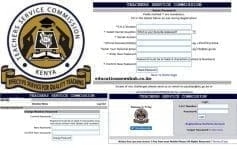
TSC payslips online. Register, download and print your payslip.
Teachers employed by the Teachers Service Commission, TSC, can access and download their payslips online. The payslip is an important document that enables you to see the exact amount of monthly salary. Wondering how you can register, login and download your TSC payslip online? Well, get all details about your payslip here.
Registration for the TSC payslips is no longer available, online. For you to register for the Payslip service kindly visit your nearest TSC county office. Remember to carry your original National ID Card, for identification purposes.
Once registered, you can proceed to log into your account. You will need a password. You will get your first time password once you register.
Proceed to log in by visiting the T-pay portal; https://tpay.tsc.go.ke/
Enter your TSC Number and Password, then click Login. The Password must be at least 6 characters (Letters & Numbers).
Once logged in, you can perform the following operations:
On log in you can view your payslips by clicking the ‘view payslips’ tab. This will display your most recent payslip.
To view other payslips, click ‘select year’ then choose from the list. Next you will need to select the month. Finally, click ‘view payslips’. This process will display the specified payslip.
Once your payslip is displayed, you may need to keep a copy of it. This can be achieved by taking a screenshot of the payslip. Similarly, click the ‘Print’ tab at the bottom of your payslip.
Your payslip contains a number of details. Click here to see an explanation of all the information that is displayed on your payslip.
Being human, you may forget your password. But, this should not give you nightmares since you can easily reset the password.
Simply visit the reset link by clicking https://tpay.tsc.go.ke/
You will get the window shown below.
| Reset Password | ||
| Fields marked * are mandatory. | ||
| Fill in the details below as was during Registration! | ||
| *T.S.C Number | ||
| * Select Secret Question | Which is your favourite restaurant? What was your first pets name? Who is/was your favourite High School teacher? What city were you born in What is the Make of your first car? | |
| * Secret Answer | ||
| *Phone Number(Mobile) | eg +2547……… | |
| *Enter Your Personal Email | eg name@gmail.com | |
| * Enter New Password | Password must be at least 6 characters (Letters & Numbers) | |
| * Confirm New Password | ||
Just enter the details as requested in the table below. Click ‘Reset Password’ once you have entered the details correctly. Your new password will be sent to your Email address.
In case you experience any challenges during the process, please send an email to payslips@tsc.go.ke or call 0202892158/0202892156 for assistance.
Get the latest Mwalimu National Sacco BOSA Loans Application Form {Free Download}, here. PDF Latest…
Here is the revised and latest Mwalimu National Sacco FOSA Salary Advance Application Form {Free…
Here is the latest Mwalimu National Sacco FOSA Instant Loan Application Form {Free Download}. Download…
The landscape of digital gambling has shifted toward high-octane mechanics that prioritize volatility and massive…
The Teachers Service Commission (TSC) has advertised 170 job vacancies across, covering senior, mid‑level, and…
Health Cabinet Secretary Aden Duale has ordered immediate changes to the Social Health Authority (SHA)…

