The Teachers Service Commission, TSC, has officially closed the Teacher Performance Appraisal and Development (Tpad) portal. This means no further amendments can be done to the TPAD online form for this term.
The portal has been open for close to three months. During that period teachers were able to perform the following tasks;
- Create a TPAD 2 Account and Log in
- Schedule an Appraisal Rating Meeting online
- Undertake Lesson Observation
- Capture learner progress records
- Fill weekly lesson attendance data
- Reach an agreement on Appraisee and Appraiser marks plus countersigning
- Create a lesson observation request
The Commission uses appraisal reports to promote teachers. Consequently, you can now download your appraisal report, print and keep it in your file.
HOW TO PRINT YOUR TPAD 2 APPRAISAL REPORT.
Printing your appraisal report is easy and straight forward. Just follow the steps below;
- Visit the TPAD 2 online system at https://tpad2.tsc.go.ke/. Click on log in and enter the details as shown in the image below. Strike enter once done.
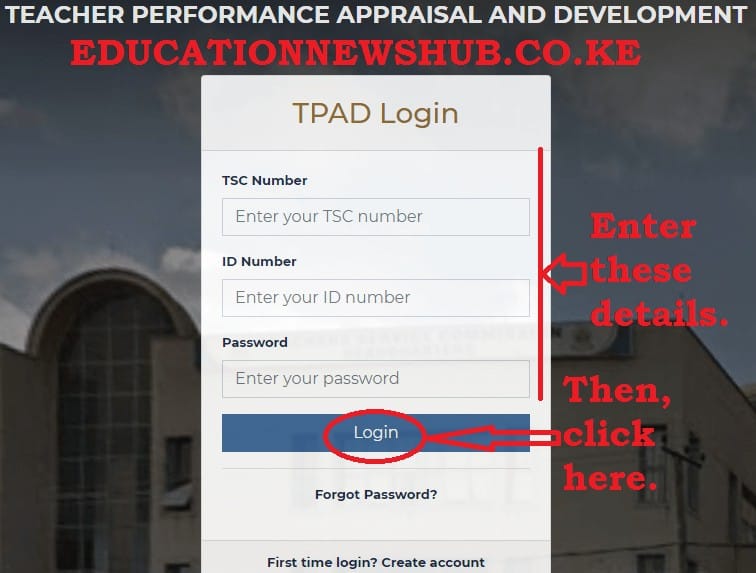
- From your account dashboard, click on ‘Appraisal Reports’ as shown in the screenshot below;
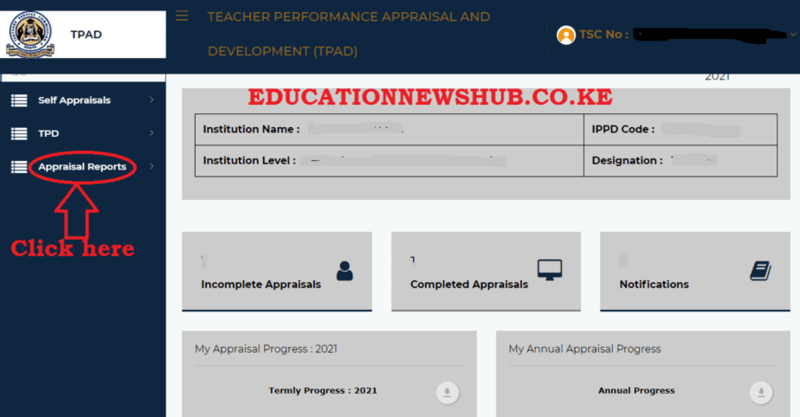
- Next, click on the ‘Standard Reports’ icon (see photo below);

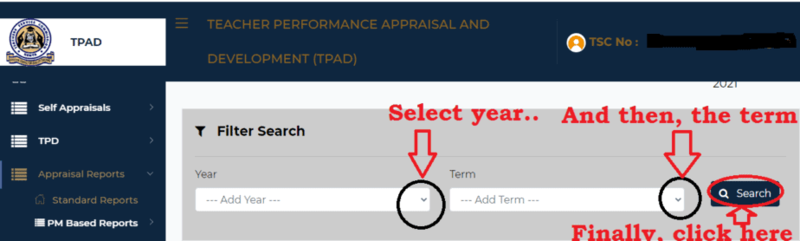
- You will be prompted to specify the year and term for whose report you wish to access. Select the parameters shown in the image below and click on ‘Search’ when done.
- Your report will be displayed as shown in the image below. The reports are of two types; Summarized or detailed. You can decide to print either or both.
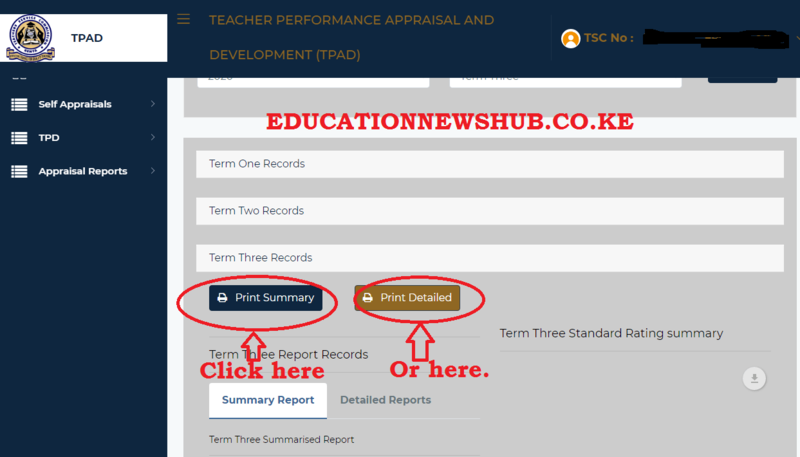
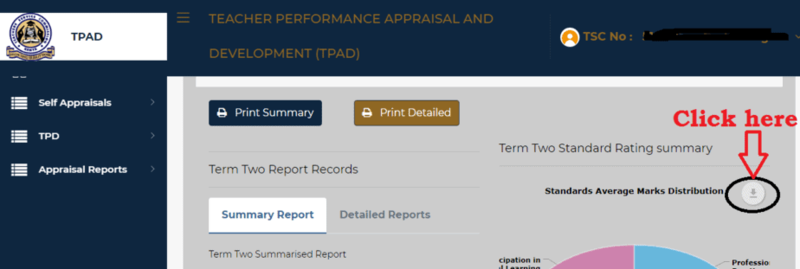
- Finally, you can as well download your TPAD report. Simply click on the icon shown in the screenshot below;
Related Articles
 TSC Circular on Updating of data on registered teachers not currently employed by the Teachers Service Commission
 Mwalimu National Sacco Loans & Repayment Schedule (BOSA Loans)
 Latest TPAD Teacher’s Checklist of TSC Professional Documents
 Official Kuppet BBF Guidelines For All Branches