TSC- How to fill the new TPAD2 form online; Update standards and ratings for all targets
How to update the TSC TPAD2 form online. Capture targets and their ratings.
I hope that you have by now created your TSC TPAD 2 account and you want to fill your appraisal form online. If you are looking for a step by step guide on how to fill the TPAD2 form online, then you are at the right place. Here you will get a simplified guide on how to create a new appraisal (remember each term requires a new appraisal), update your standards, carry out self assessment and Lesson Observation.
HOW TO LOG INTO YOUR TSC TPAD 2 ACCOUNT.
Before logging into your TPAD2 account, you must first have to create your TPAD2 Account.
After creating your account, the next step is to log in. See the steps below;
After clicking login, now you need to select your user level. In this case ‘Teacher/Deputy’ as shown in the window below;
Login interface for a teacher.
On the next window, you enter your TSC Number, ID Number and Password as shown in the screenshot below. Click ‘Login’ to proceed. In case you have forgotten your password, just click ‘Forgot Password’ to reset it.
TSC TPAD2 login window for teachers
On successful login, you will see the window below; which is your TPAD2 account homepage.
Next, it is time to create your new appraisal. To do this, click on ‘Self Appraisals’ and then ‘Self Assessment’.
Creating a new appraisal.
In the new window, click on ‘Create New Appraisal’ as shown in the window below;
Creating a new appraisal.
A pop up window appears as shown below. Here, you select the year, term and eligibility (choose on duty if you are not on any leave). Select, ‘Save Appraisal’ when done. Entering parameters for your new TPAD2 appraisal.
HOW TO COMPLETE THE TPAD2 FORM ONLINE BY FILLING THE STANDARDS.
You have successfully created your new TSC appraisal. Congratulations. Next, you need to complete your appraisal form online. A completed form will show an appraisal status of 100%. Follow the steps below;
Log into your TPAD2 account and from the Dashboard, select ‘Incomplete Appraisals’ as shown in the screen below. Then, click ‘Proceed to Appraisal’.
Updating your TPAD2 standards.
In the new window you will be able to see the three standards. You can only update one standard at a time, though. Select the standard you wish to update as shown in the window, below (for the ‘Teaching Standards’).
You will not be able to update the standards unless you set the type of standard; Primary and Secondary schools or SNE- Primary and Secondary schools. To do this, click on ‘Choose Standard as indicated in the window below.
On the new screen, click ‘select standard’, choose the appropriate standard and select ‘proceed to standards’ as shown in the screenshot below.
You will now be able to update your scores for each target. each target will be updated independently. Click on ‘New rating’ on the far right hand side of the target you wish to update as illustrated in the window below;
In the next step, select ‘Add weight’ as shown in the screenshot below. This will activate the appraisee weight column for that target.
Now, in the new pop up screen, enter your rating score, gap category and comment. You can also voluntarily attach an evidence. Click on ‘Submit Rating’ when done.
A success window shows that your target has been updated correctly. Click on ‘Ok’ to proceed.
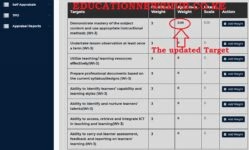
The window below will show that your rating has been updated.
Repeat the steps above until all the three standards and their targets are updated.
Remember, lesson observation must also be updated and the appraiser standards captured in order for your online form to display a 100% processing status.
The Appraiser must schedule the appraisal meeting for you to agree on the appraiser and appraisee ratings.
Where your scores clash, it is the appraiser who carries the day. If you fail to agree on 75% of the ratings, then arbitration will be required.
Check the links below on how to complete your appraisal 100%:
The Education News Hub Editorial Team is made up of vibrant and experienced editors. Brian Yano is an accomplished longtime Digital Media Journalist at Educationnewshub.co.ke with a great passion for research and fact-checking. He delivers engaging content across diverse topics, with a special interest in Education matters. On her part, Yvonne Kemunto is a journalist, dedicated to unraveling stories that matter. With a keen eye for detail and a passion for storytelling, she brings a fresh perspective to the world of media. Her commitment to detail and excellence shines through in every piece she crafts. Our newest member of the Editorial Team is Jennifer Mumbo. She is a Seasoned Multimedia Journalist with several years' experience; dating back to 2018. Jennifer has a passion for education, sports, tech, politics and entertainment. You can reach the editors at educationnewshub3@gmail.com.