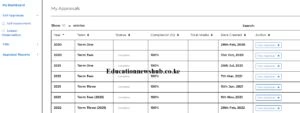
My Appraisals Window
The Teachers Service Commission, TSC, has advertised promotions vacancies for teachers in various job grades. To submit your application, you must visit the TSC Promotions Portal.
This is the TSC Promotions’ application link: https://tsconline.tsc.go.ke/adverts
NB: The Chapter 6 documents (KRA, Helb Compliance…) are not required at the application stage.
It is now very easy for you to view and download all your previous TPAD appraisal reports. The TPAD summaries are required during applications for TSC Promotions. You will also be required to present a hard copy of your TPAD reports during TSC interviews for promotions.
Step 1: Visit the TSC TPAD portal at https://tpad2.tsc.go.ke/.
Step 2: Then, click on login. Now enter your TSC Number, ID Number and Password as shown in the window below; Click on ‘Login’ once done.
Step 3: On successful login, click on ‘Self Appraisals, and then ‘Self Assessment’. You will see the window below.
Step 4: Left Click on ‘View Archived reports’, the window below will be displayed. Do not be afraid. Just click on ‘Advanced’ followed by Proceed to tpadarchive.tsc.go.ke (unsafe).
Step 5: You are now finally here; as shown in the window below; Click on ‘Incomplete Appraisals’
Step 6: Scroll down and you will see your previous appraisals;
Step 7: Move across the year for whose TPAD reports you wish to view/ Print. At the far right click on ‘View Appraisal’. To print the appraisal, scroll to the bottom of the pageand select ‘Print Detailed Appraisal’. You can also save a PDF of the appraisal report; see the window below. Simply click on ‘Destination’ to toggle between Printing and Saving.
You can now access all the Archived/ Previous TPAD reports as easily as that.
Also read; How to download and print your TSC TPAD 2 reports
In case you are using your Mobile phone, follow the same procedure as shown in Step 1 to 7 above. But, to save a PDF copy of the appraisal, Click on the 3 dots at the far top right corner. Next, select ‘Share’ followed by ‘Print’ and then ‘Save as PDF’. Your appraisal will automatically be stored under ‘downloads’ in your phone.
Copied: This guide is courtesy of Segera Festus- The current Kuppet VC Nyamira Branch.
Get the latest Mwalimu National Sacco BOSA Loans Application Form {Free Download}, here. PDF Latest…
Here is the revised and latest Mwalimu National Sacco FOSA Salary Advance Application Form {Free…
Here is the latest Mwalimu National Sacco FOSA Instant Loan Application Form {Free Download}. Download…
The landscape of digital gambling has shifted toward high-octane mechanics that prioritize volatility and massive…
The Teachers Service Commission (TSC) has advertised 170 job vacancies across, covering senior, mid‑level, and…
Health Cabinet Secretary Aden Duale has ordered immediate changes to the Social Health Authority (SHA)…



